> ## Documentation Index
> Fetch the complete documentation index at: https://laminarai-docs-lam-1778-self-host-access-control.mintlify.site/llms.txt
> Use this file to discover all available pages before exploring further.
# Table views
**Table views** save a table's filters, search, sort, and column layout as a named preset you can reopen with one click. Views are stored per project, so any member of the project can pick the same preset from the dropdown.
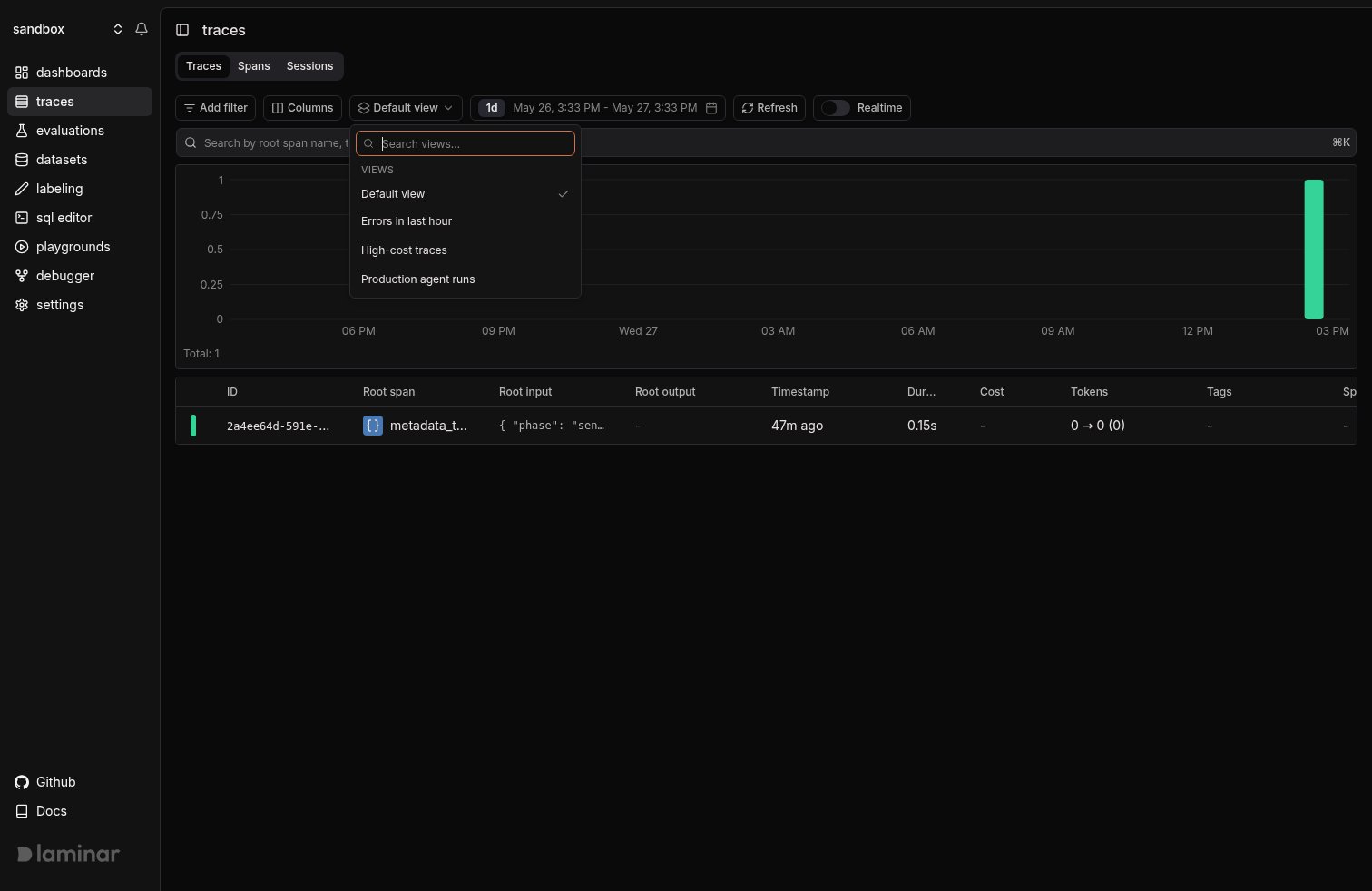 Each view is scoped to one table (Traces, Spans, Sessions, Evaluations, and the others), so saving a view on Traces never clutters the dropdown on Spans.
## Save a view
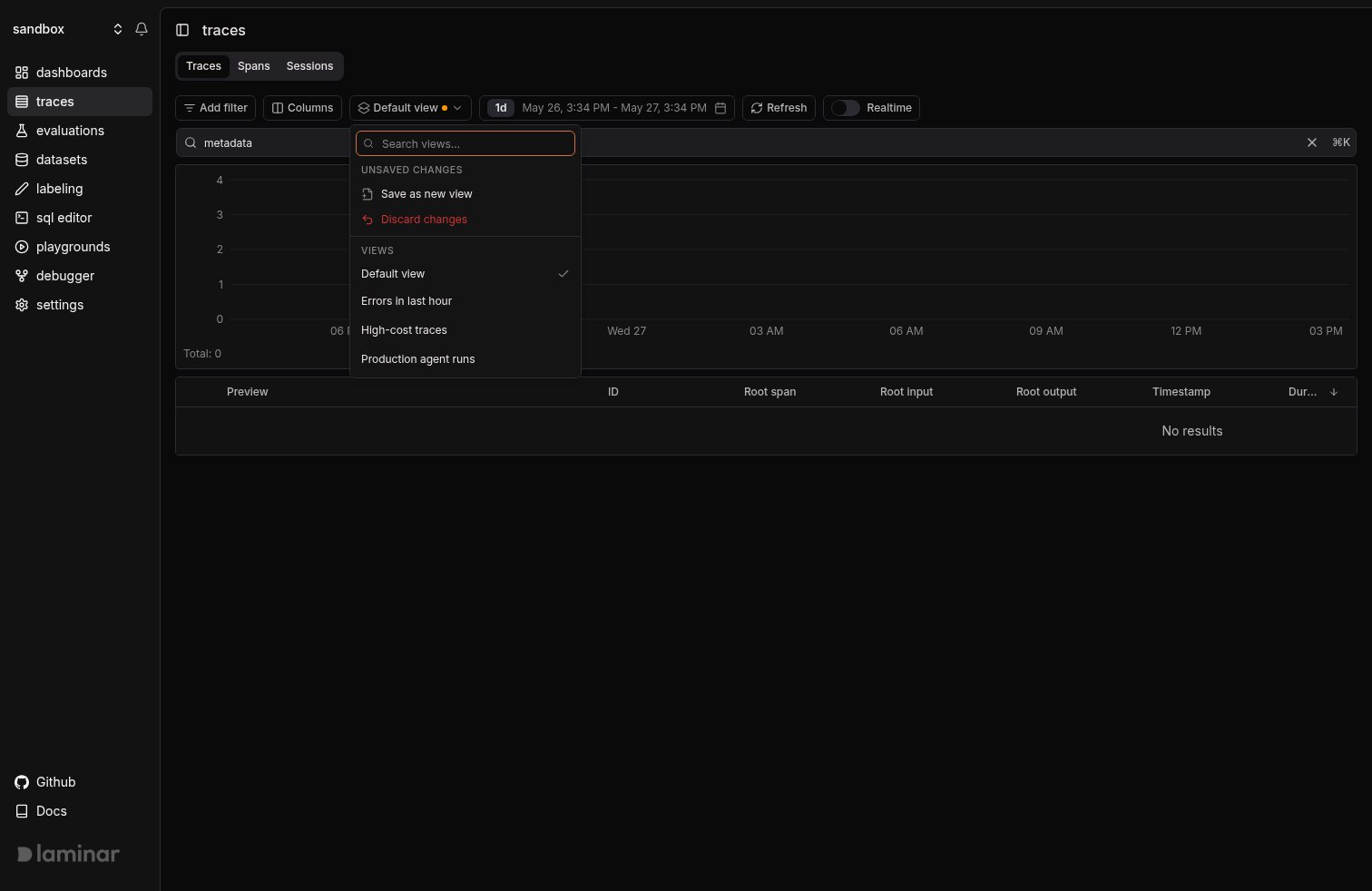
Set up the table the way you want it. The picker shows an amber dot when the current state has drifted from any saved view; open it and the **Unsaved changes** section appears:
* **Save changes** writes back to the active view.
* **Save as new view** prompts for a name.
* **Discard changes** reverts to the active view (or to `Default view` if none is loaded).
Each view is scoped to one table (Traces, Spans, Sessions, Evaluations, and the others), so saving a view on Traces never clutters the dropdown on Spans.
## Save a view
Set up the table the way you want it. The picker shows an amber dot when the current state has drifted from any saved view; open it and the **Unsaved changes** section appears:
* **Save changes** writes back to the active view.
* **Save as new view** prompts for a name.
* **Discard changes** reverts to the active view (or to `Default view` if none is loaded).
 ## Example: Most expensive traces
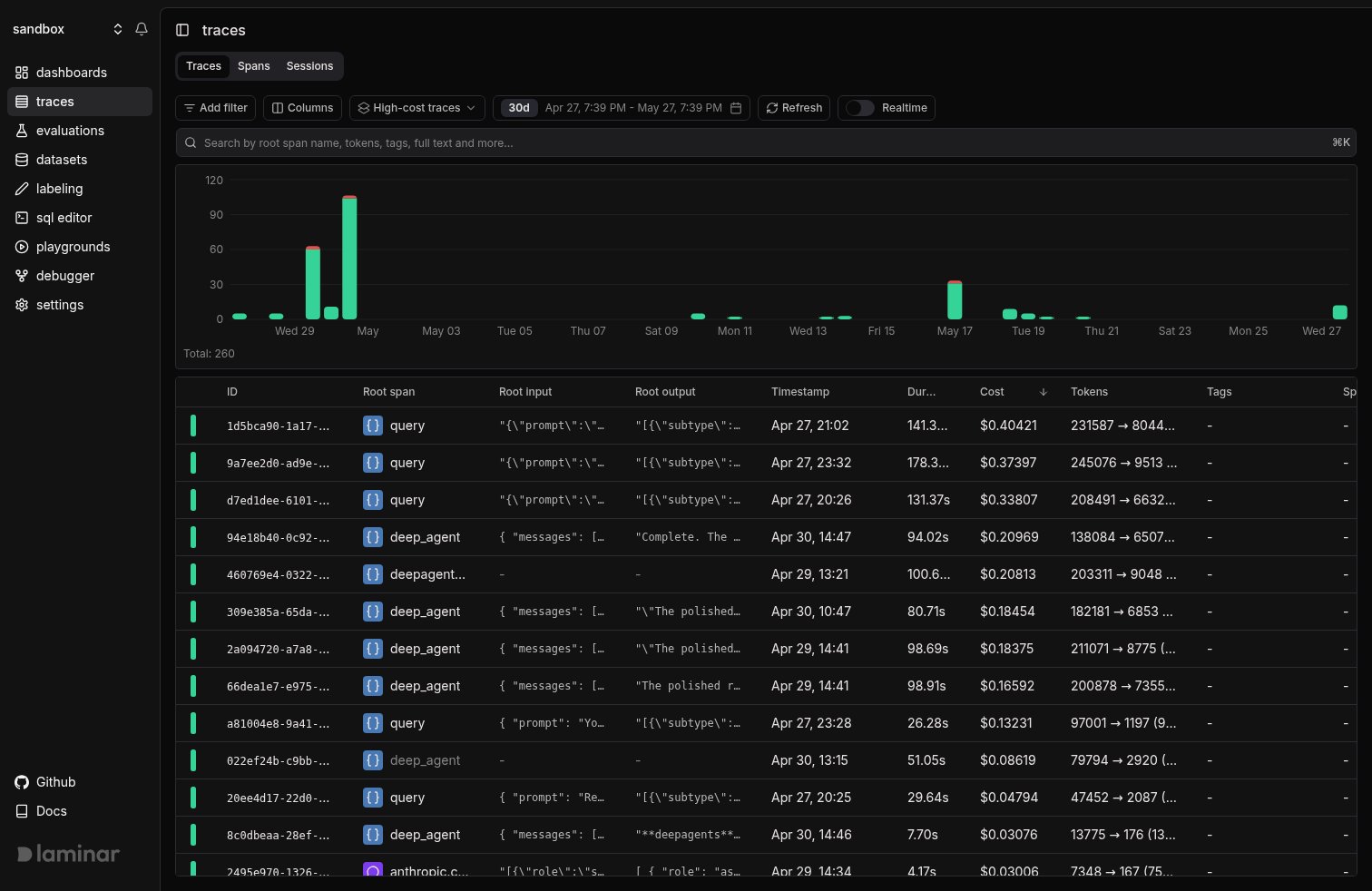
Sort the Traces table by Cost descending, hide the columns you don't need (root output, tags, metadata, session/user id), and save it as **High-cost traces**. Anyone in the project opening the Traces tab can pick that view from the dropdown to land on the same focused table.
## Example: Most expensive traces
Sort the Traces table by Cost descending, hide the columns you don't need (root output, tags, metadata, session/user id), and save it as **High-cost traces**. Anyone in the project opening the Traces tab can pick that view from the dropdown to land on the same focused table.
 ## What's next
Search across span input, output, and attributes; saved into a view alongside your filters.
When a view's filters are not enough, drop into raw SQL across traces, spans, signals, and evals.
## What's next
Search across span input, output, and attributes; saved into a view alongside your filters.
When a view's filters are not enough, drop into raw SQL across traces, spans, signals, and evals.